Duraflame Remote Control Instructions: A Comprehensive Guide
Navigating your Duraflame fireplace is easy with our guide! Learn about pairing, troubleshooting, and maximizing features for a cozy experience, streaming live now!
Understanding Your Duraflame Remote
Your Duraflame remote is the central hub for controlling your electric fireplace, offering convenience and customizable comfort. Different models exist, ranging from basic infrared remotes to more advanced radio frequency (RF) versions. Infrared remotes require a direct line of sight to the fireplace, while RF remotes can operate even without a clear view.
Familiarize yourself with the button layout – typically including power, flame adjustment, heat control, and potentially features like timers or thermostat settings. Understanding the specific functions of each button is crucial for optimal operation. The remote’s range and responsiveness can vary based on the model and battery condition. Proper care, like avoiding drops and keeping it dry, will extend its lifespan.
Remote Control Models & Compatibility
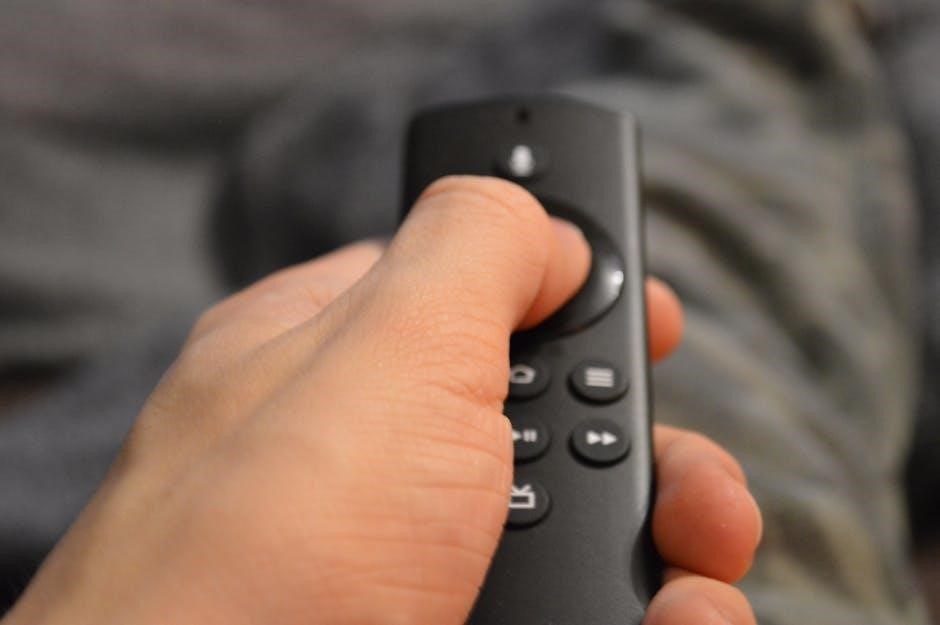
Duraflame offers a variety of remote control models, often categorized by the fireplace series they accompany. Older models typically utilize infrared (IR) technology, requiring direct line-of-sight operation. Newer fireplaces frequently feature radio frequency (RF) remotes, providing greater range and the ability to control the unit without a clear view.
Compatibility isn’t always universal; a remote designed for one Duraflame model may not function with another. Checking the fireplace’s model number and referencing the Duraflame website or manual is essential to ensure proper remote selection. Universal remotes can be programmed (see later sections), but success isn’t guaranteed. Always verify compatibility before purchasing a replacement or attempting to program a universal remote.
Basic Remote Functions
Most Duraflame remotes share core functionalities for convenient fireplace control. The power button initiates or terminates operation, while dedicated flame adjustment buttons typically cycle through multiple flame height settings, creating desired ambiance. Separate heat control buttons regulate the blower’s output, offering adjustable warmth levels – often with low, high, and off options.
Many remotes also include a thermostat function for maintaining a consistent room temperature. Additional buttons may control features like timers or auto-shutoff. Familiarizing yourself with the button layout and their corresponding functions, as detailed in your fireplace’s manual, ensures optimal and safe operation of your Duraflame unit.
Powering On/Off the Fireplace
The primary function of your Duraflame remote is, of course, controlling power. Typically, a clearly marked “Power” button, often symbolized by a circle with a vertical line, initiates the fireplace. Pressing this button once should turn the unit on, activating both flame and heat (depending on previous settings).
To power off, press the same “Power” button again. Ensure the fireplace completely shuts down; some models may have a brief cool-down period for the blower; Always confirm the unit is off before leaving it unattended. A successful power cycle is usually indicated by the fireplace’s display or a change in indicator lights.
Adjusting Flame Levels
Duraflame remotes offer adjustable flame effects for customized ambiance. Look for buttons labeled “Flame,” “Adjust,” or with flame icons – often with plus (+) and minus (-) symbols. Pressing the “+” button typically increases flame intensity, creating a more vibrant display. Conversely, the “-” button lowers the flame level, providing a softer glow.
Some remotes feature multiple flame settings or a slider control for precise adjustments. Experiment to find your preferred brightness. Note that flame level adjustments usually don’t affect heat output; they solely control the visual appearance. Enjoy the cozy atmosphere tailored to your preference!
Controlling Heat Settings
Your Duraflame remote allows precise control over the fireplace’s heat output. Locate buttons labeled “Heat,” often accompanied by a flame/temperature icon, and “+” and “-” symbols. Pressing “+” increases the heat level, while “-” decreases it. Many models offer multiple heat settings, ranging from low to high, providing comfortable warmth.
Some remotes display the current heat setting numerically or with indicator lights. Remember that higher heat settings consume more energy. Utilize the lower settings for gentle warmth and energy conservation. Always ensure adequate ventilation when operating the fireplace at higher heat levels for optimal safety and comfort.
Pairing a New Remote to Your Duraflame Fireplace
Successfully pairing your new Duraflame remote ensures seamless control. Begin by ensuring your fireplace is powered on. Locate the “Pair” or “Connect” button on both the fireplace unit (often near the receiver) and the remote. Press and hold both buttons simultaneously for several seconds – typically 5-10 seconds – until an indicator light on the fireplace begins to flash.
This flashing light signifies pairing mode. Release both buttons. The fireplace should then emit a beep or the light will become solid, confirming successful pairing. If pairing fails, repeat the process, ensuring both buttons are pressed concurrently. Consult your fireplace’s specific manual for detailed instructions, as procedures can vary slightly between models.
Troubleshooting Common Remote Issues
Encountering issues with your Duraflame remote? First, verify fresh batteries are installed correctly. If the remote isn’t responding, try resetting it (see dedicated section). A weak signal can be caused by obstructions; ensure a clear line of sight between remote and fireplace.
Incorrect button functionality often indicates a need for re-pairing (refer to pairing instructions). If problems persist, check for interference from other electronic devices. Occasionally, the fireplace’s receiver may require a reset – consult your model’s manual. For complex issues, consider a universal remote or contacting Duraflame support for assistance.
Remote Not Responding
Is your Duraflame remote completely unresponsive? Begin with the simplest solution: replace the batteries with fresh ones, ensuring correct polarity. Next, check for any physical obstructions blocking the signal path between the remote and the fireplace receiver. Ensure there’s a clear line of sight.
Try resetting the remote following the instructions in the “Resetting the Remote Control” section. If still failing, briefly power cycle the fireplace itself – turn it off and then back on. Interference from other devices can sometimes be the culprit; move them away. As a last resort, consult the pairing instructions to re-establish the connection.
Weak Signal Strength
Experiencing intermittent or weak signal strength with your Duraflame remote? First, verify the batteries are new and properly installed. Distance is a key factor; move closer to the fireplace. Obstructions like furniture or walls can significantly weaken the signal – try to eliminate these.
Check the fireplace receiver for dust or debris that might be interfering with its ability to receive the signal. Ensure no other electronic devices are causing interference. If the problem persists, attempt to re-pair the remote with the fireplace, following the pairing instructions. A weak signal often indicates a need for a fresh battery or a clearer transmission path.
Incorrect Button Functionality
If buttons on your Duraflame remote are performing unintended actions, a simple reset can often resolve the issue. Begin by removing the batteries from the remote for approximately 60 seconds. This allows the internal memory to clear. Reinsert the batteries and test each button individually.
If the problem continues, the remote may require re-pairing with the fireplace unit. Check for any physical damage to the remote’s buttons or internal components. A buildup of dirt or debris under the buttons can also cause malfunctions. If none of these steps work, consider a replacement remote, either from Duraflame directly or a compatible universal model.
Replacing the Battery
Maintaining your Duraflame remote begins with regular battery checks. When the remote’s performance diminishes, or you notice intermittent operation, it’s likely time for a battery replacement. Most Duraflame remotes require two AA batteries, though some models may differ – consult your fireplace’s manual for specifics.
To access the battery compartment, locate the designated cover, usually on the back of the remote. Gently slide or pop open the cover and remove the old batteries, noting the correct polarity (+ and -). Insert fresh batteries, ensuring proper alignment, and securely close the battery compartment. Test the remote to confirm functionality.
Resetting the Remote Control
If your Duraflame remote is behaving erratically, a reset can often resolve the issue. This process clears any stored data and restores the remote to its factory settings. While specific steps vary by model, a common method involves removing the batteries from the remote for a full 60 seconds.
After removing the batteries, press and hold the power button several times. This helps to discharge any residual energy. Reinsert the batteries, ensuring correct polarity, and attempt to re-pair the remote with your fireplace (refer to the pairing instructions). If the reset doesn’t resolve the problem, further troubleshooting may be needed.

Finding Replacement Remotes
Lost or broken your Duraflame remote? Several options exist for replacement. The most reliable source is directly through Duraflame’s official website or authorized retailers. Ensure you have your fireplace’s model number handy to guarantee compatibility. These official replacements are specifically programmed for your unit, ensuring seamless functionality.
Alternatively, universal remotes can be programmed to control your Duraflame fireplace. However, this requires careful setup and code input (see the ‘Programming a Universal Remote’ section). Online marketplaces also offer replacement remotes, but verify seller reputation and compatibility before purchasing. Always prioritize genuine Duraflame parts when possible.
Official Duraflame Replacement Options
Duraflame offers direct replacement remotes tailored to specific fireplace models. Visiting the official Duraflame website is the most straightforward approach. You’ll need your fireplace’s model number, typically found on a label located on the unit itself or in the original documentation. This ensures you order the correct, fully compatible remote.
Authorized retailers, like appliance parts stores and some home improvement centers, may also stock official Duraflame replacements. These options often come pre-programmed or require minimal pairing. While generally more expensive than universal alternatives, official remotes guarantee full functionality and avoid programming complexities. Check Duraflame’s support pages for a list of authorized dealers.
Universal Remote Compatibility
Many universal remotes are compatible with Duraflame fireplaces, offering a cost-effective alternative to official replacements. Popular brands like Logitech Harmony, One For All, and RCA typically include codes for various fireplace manufacturers. However, full functionality isn’t always guaranteed; some advanced features might not be supported.
Before purchasing, verify the universal remote’s compatibility list online or on the packaging. Look specifically for Duraflame or related infrared (IR) fireplace codes. Successful operation relies on accurate code entry and proper remote programming. While requiring a bit more setup, universal remotes can control multiple devices, simplifying your entertainment setup.
Programming a Universal Remote for Duraflame
Programming a universal remote involves entering a specific code for your Duraflame fireplace. Begin by consulting your universal remote’s manual for instructions – the process varies by brand. Typically, you’ll power on your fireplace, then enter a three or five-digit code from a Duraflame code list (available online or in the remote’s manual).
The remote will usually signal successful code entry with an indicator light. If the first code doesn’t work, try others from the list. Some remotes use auto-search, cycling through codes until the fireplace responds. Ensure the remote is in the correct device mode (e.g., fireplace, TV, AUX). Patience is key, as finding the correct code can take several attempts.
Duraflame Remote Control Codes
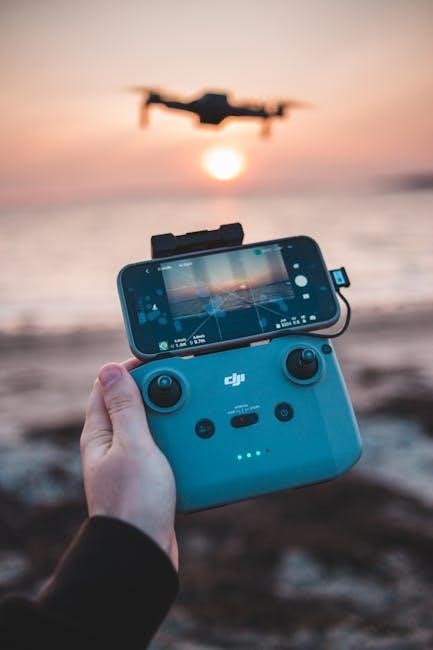
Finding the correct code is crucial for universal remote compatibility with your Duraflame fireplace. While codes vary depending on the universal remote brand (e.g., Logitech Harmony, One For All), common Duraflame codes include 0060, 0078, 0178, 0208, and 0326.
These are starting points; a comprehensive list can often be found on websites dedicated to remote codes or within the Duraflame support section. If these don’t work, consult your universal remote’s manual for auto-code search functionality. Remember to test basic functions like power, flame adjustment, and heat control after entering a code to confirm successful programming; Online databases frequently update codes, so check regularly.
Safety Precautions When Using the Remote
Prioritize safety when operating your Duraflame fireplace with the remote. Always ensure a clear line of sight between the remote and the fireplace receiver. Never allow children to operate the remote unsupervised, as unintended adjustments could occur.
Keep the remote away from liquids and extreme temperatures. Regularly inspect the remote for damage, and discontinue use if any issues are detected. Avoid placing objects in front of the fireplace’s heat output, even when controlled remotely. Be mindful of the heat settings, especially in smaller rooms, to prevent overheating. Responsible remote use ensures a safe and enjoyable experience.
Remote Control Features (Advanced Models)
Advanced Duraflame remotes offer enhanced control and customization. Many models include programmable timers for automatic operation, allowing you to schedule heating and flame effects. Zone heating capabilities, available on select units, let you direct warmth to specific areas.
Some remotes feature adjustable flame color options, creating a personalized ambiance. Smart remotes integrate with home automation systems for voice control and remote access via smartphone apps. Explore features like multi-function buttons and backlit displays for ease of use. These innovations elevate your fireplace experience, providing convenience and tailored comfort.

Where to Find Additional Support & Resources
For comprehensive assistance with your Duraflame remote, several resources are available. The official Duraflame website (https://www.duraflame.com/) provides FAQs, downloadable manuals, and troubleshooting guides. Their customer support team can be reached via phone or email for personalized help.
Online forums and communities dedicated to fireplaces often feature discussions and solutions related to Duraflame remotes. YouTube channels offer video tutorials demonstrating pairing, programming, and repair techniques. Retailers like Amazon and Home Depot may also provide support resources. Don’t hesitate to explore these avenues for expert guidance and assistance!